Operations leveraging payment processing through Magensa, can perform Credit Card Charges and Refunds directly from the SALIDO Bridge! Please note this feature is not a virtual terminal and can only be used to refund or charge an additional amount on an existing check and authorization.
NOTE: Bridge Refunds, Charges and the ability to view Check and Payment Details are managed by four (4) newly created permissions in Employee Roles:
- Charge Payments
- Refund Payments
- View Check Details
- View Payment Details

Users must have all four permissions in order to issue Bridge Refunds and Charges. See Create a Role for more information on how to enable Bridge Refunds and Charges for your Team!
Issue a Credit Card Refund or Charge from the SALIDO Bridge
-
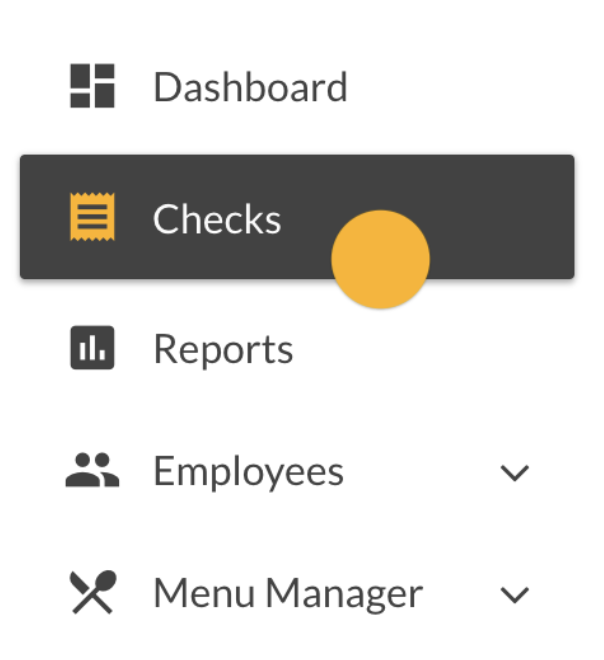
Navigate to Checks on the Bridge
|
|
-
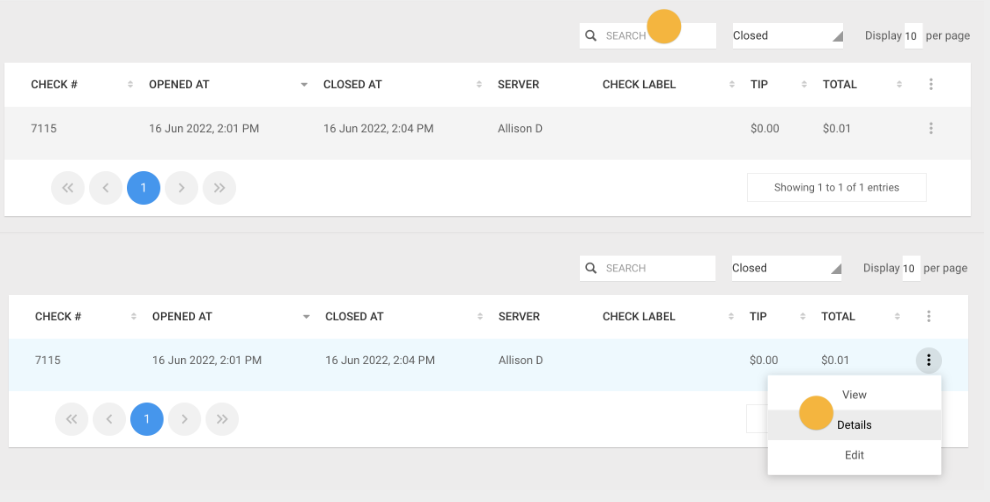
Use the search bar to locate the check you need to Refund or Charge.
Click the Three Dots and select Details
|
|
-
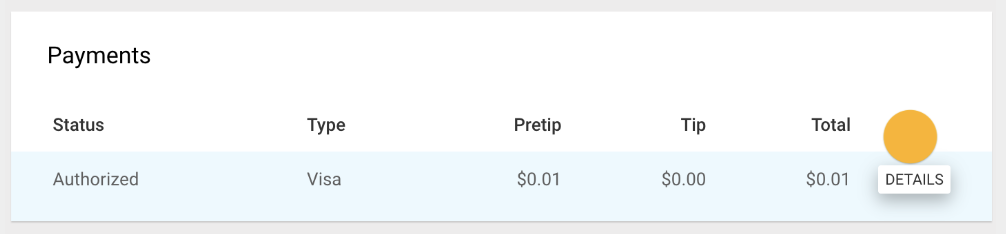
Scroll down to locate the Payment you need to Refund or Charge.
Click Details
|
|
-
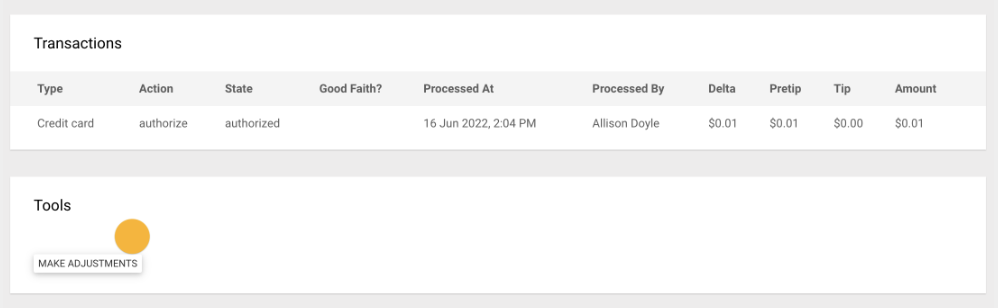
Scroll down to Tools and click Make Adjustments
|
|
-
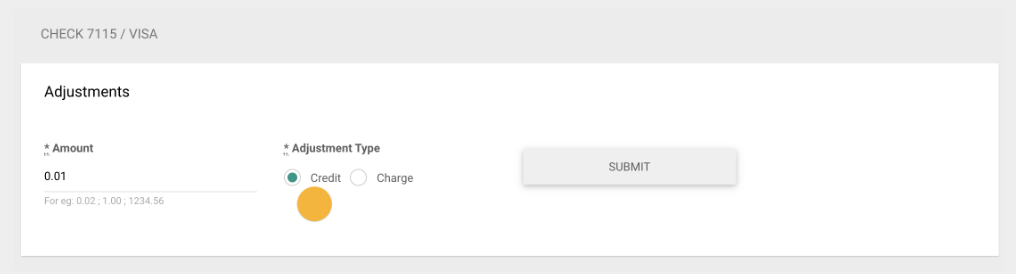
Select Credit or Charge
|
|
-
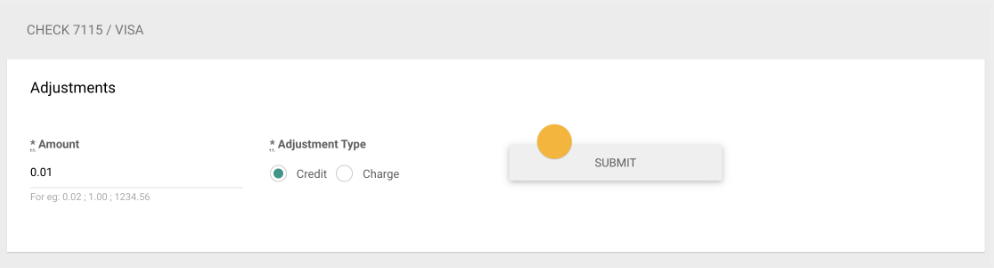
Enter in the dollar amount you need to Credit or Charge and click Submit
|
|
-
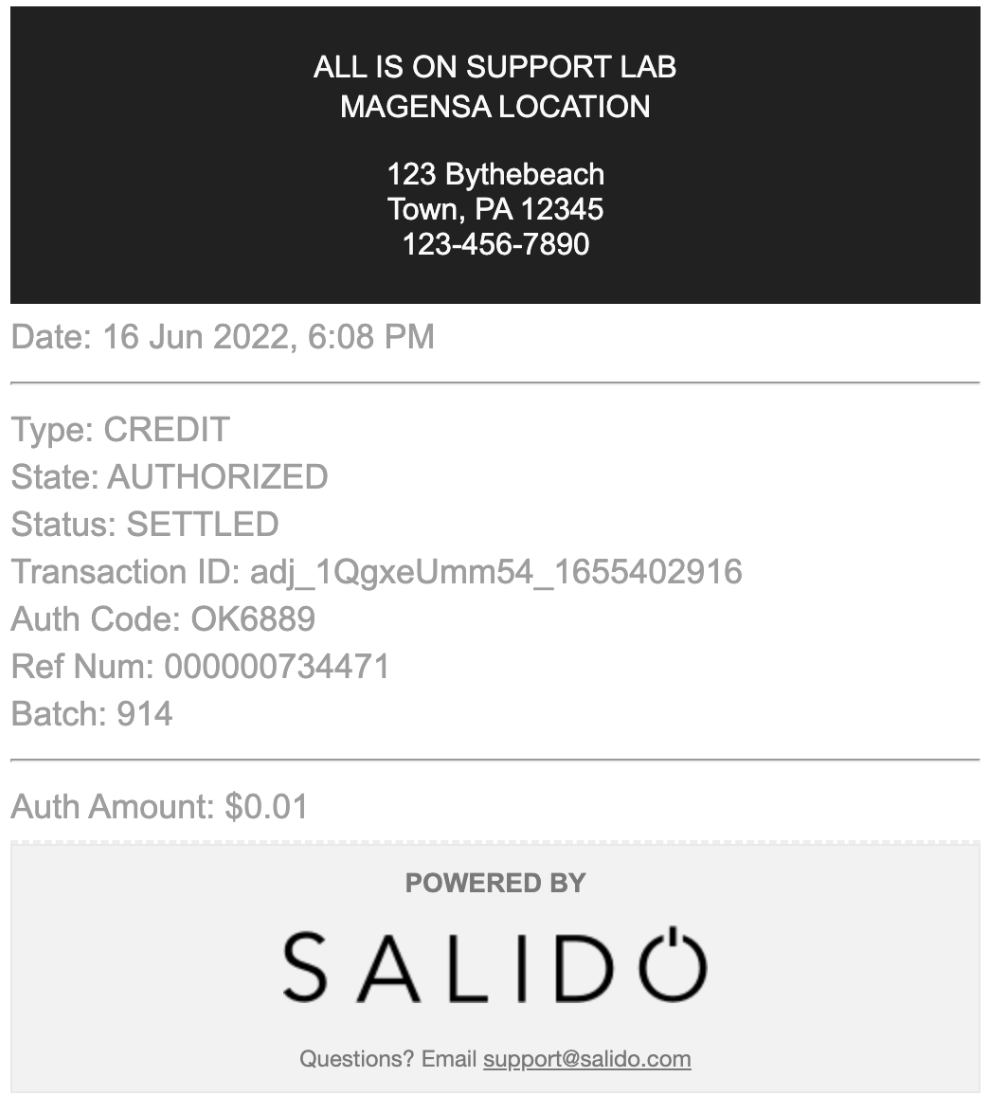
If the transaction was successful you will see a receipt displayed.
You may screenshot this receipt to share with the guest or navigate back to the Checks > Details > Payments > Details > View Payment History on the Bridge.
Note: Manually entered transactions will not produce a second copy of the check under Payment History, you will need to save or screenshot this transaction to have a Guest-facing receipt.
|
|
